How to Create an Instagram Story Ad for Your Music
Every second, millions of people are swiping through Instagram Stories, and your music could be the next thing that stops them in their tracks. If you have been struggling to get your songs heard by new listeners, paid advertising on Instagram might be exactly what you need to break through the noise.
Learning how to create an Instagram Story ad is one of the most powerful skills you can develop as an independent artist in today's digital landscape. Story ads are full-screen, immersive, and designed to capture attention within the first few seconds, making them a perfect format for showcasing your music to a highly targeted audience.
In this tutorial, you will learn everything you need to get started, even if you have never run a paid ad before. We will walk you through setting up your ad account, choosing the right visuals and audio, defining your target audience, and launching your first campaign with confidence. By the end, you will have a clear, actionable roadmap to promote your music and grow your fanbase using Instagram Story ads.
Why Story Ads Sit in a Different Part of the Funnel
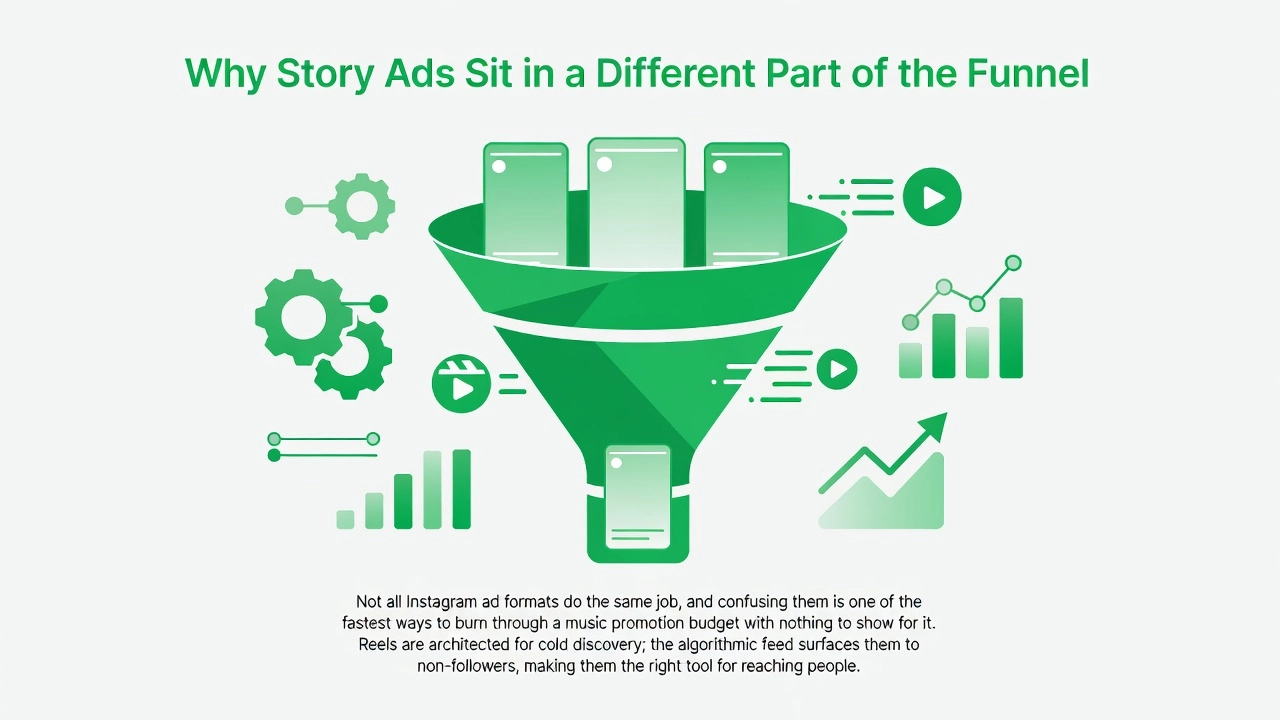
Not all Instagram ad formats do the same job, and confusing them is one of the fastest ways to burn through a music promotion budget with nothing to show for it. Reels are architected for cold discovery; the algorithmic feed surfaces them to non-followers, making them the right tool for reaching people who have never heard your name. Story ads operate on an entirely different premise. They appear in the Stories feed of people who are already aware of you, making them a retention and conversion tool, not a discovery one. Sending cold traffic to a Story ad is like opening a venue before you have an audience. Understanding this distinction at the start shapes every decision that follows.
The Engagement Signals That Actually Move the Needle
Raw view counts feel rewarding, but they are largely meaningless as a performance signal for music campaigns. The metrics that indicate genuine fan intent are saves, profile visits, and follows, because these represent active choices a listener makes after the algorithm has already delivered your content. A music marketing practitioner framework shared in 2026 recommends evaluating posts by the follow-to-accounts-reached ratio and sets a minimum 1% threshold before scaling any paid spend. If 10,000 people saw your post and only 80 followed, the content is not ready to amplify yet. More budget will not fix a weak signal; it will only make the waste faster.
The practical contrast here is striking. A Reel with 50,000 views but zero saves and zero profile visits produced negligible downstream results in documented practitioner cases from 2026. A second Reel with just 5,000 views, 200 saves, and 50 profile visits was measurably moving the needle on streams and follower growth. The number of eyeballs was ten times smaller, but the fan intent was real.
Ghost Clicks Versus Verified Conversions
This distinction matters even more once paid spend enters the picture. A verified conversion for a music advertiser is a stream start, a save, or a new follow; it is an action the platform can learn from and optimize against in future delivery. A ghost click registers on the platform's dashboard but carries no durable signal. Meta's algorithm cannot act on a click that went nowhere. When ad spend is generating ghost clicks at scale, the campaign's optimization data becomes polluted, delivery degrades, and costs rise.
This is precisely why your campaign objective, your audience selection, and the smartlink destination you send traffic to must all reflect the funnel stage you are targeting. For a Story ad targeting a warm audience, the correct objective is conversion-focused, the audience is built from people who have already engaged with your content or profile, and the landing page they land on should be optimized to capture a verified action. A full guide to Instagram ads via Meta Ads Manager confirms that building campaigns outside the native Boost button is essential for accessing the objective and audience controls that make this precision possible.
Prerequisites: What You Need Before You Open Ads Manager
Before you touch a single campaign setting, five things need to be in place. Skipping any one of them does not just slow you down; it breaks the entire measurement chain that makes paid music promotion worth doing in the first place.
A Meta Business Manager account with your Facebook Page and Instagram account formally linked inside it is the foundation everything else rests on. Ads Manager lives inside Business Manager, and your Instagram account must be connected through Business Settings > Accounts > Instagram Accounts before it can appear as an ad placement. First-timers frequently skip this step, then wonder why their Instagram account is not showing up as an option when they go to run ads. Complete the Facebook Ads Manager setup at the Business Manager level before anything else.
A verified domain connected to your Business Manager is non-negotiable post-iOS 14. When Apple's privacy changes rolled out, Meta introduced Aggregated Event Measurement, a framework that only functions on verified domains. Without it, your conversion events may not attribute correctly, your custom audiences shrink, and your campaign optimization signals degrade. Domain verification is done inside Business Manager under Brand Safety, and it takes less than ten minutes. Do it before you build a single ad.
Your ad destination must be a landing page you own, not a direct link to Spotify or Apple Music. Sending paid traffic straight to a streaming platform breaks the conversion loop entirely. There is no Meta Pixel installed on those domains, no Conversion API reporting events back to Meta, and therefore no signal for the algorithm to optimize against. A smartlink sitting on your verified domain closes that loop, turning every click into a measurable, reportable event.
Your creative assets need to be built to Story spec before you upload anything. That means 1080x1920 pixels at a 9:16 aspect ratio, video no longer than 15 seconds, and all critical text and visuals placed within the middle 80 percent of the frame. The UI chrome at the top and bottom of the screen will crop anything placed outside that safe zone, including your artist name and call to action.
Finally, install both a Meta Pixel and a Conversion API connection on your landing page. In 2026, running pixel-only campaigns means a meaningful share of your conversion data never reaches Meta. Ad blockers and browser-level privacy settings suppress browser-side pixel fires regularly. The Conversions API operates server-side, bypassing that blocking entirely and sending enriched event data directly to Meta. When both run together with proper deduplication configured, your campaign receives the clean, complete signal it needs to find real fans rather than ghost clicks the platform cannot act on.
Step-by-Step: Creating Your Instagram Story Ad in Meta Ads Manager
With your prerequisites locked in and your creative exported at 9:16, you are ready to build the actual campaign. Follow these nine steps in order. Skipping ahead or accepting Meta's default suggestions at any stage will quietly undo the measurement infrastructure you set up before opening Ads Manager.
Step 1: Go Directly to Meta Ads Manager
Open Meta Ads Manager in your browser. Do not tap the blue Boost button inside the Instagram app. The Boost button is a simplified interface designed for speed, not precision. It removes conversion objectives entirely, bypasses Conversion API event tracking, and strips out the manual targeting controls you need for a music campaign. What you get with Boost is a watered-down traffic push with no usable conversion data on the other side. The platforms cannot optimize delivery toward fans if there are no clean signals coming back, and you will have no way of knowing whether a stream, save, or follow actually came from your spend.
Step 2: Create a New Campaign and Choose the Conversions Objective
Click + Create inside Ads Manager to open a new campaign. When prompted to choose an objective, select Conversions, not Traffic. This distinction matters more than most beginners realize. Meta uses your chosen objective to decide which users to enter into the ad auction on your behalf. A Traffic objective optimizes for people who are likely to click links, which sounds relevant but is not the same as optimizing for people who will actually stream your track, save it, or follow your profile. The Conversions objective tells Meta to find people likely to complete a specific event on your smartlink landing page. The funnel runs: ad impression, swipe-up to smartlink, streaming platform. Every step in that chain needs to be connected for the data to mean anything.
Step 3: Set Your Testing Budget
At the campaign level, set a daily budget between €5 and €15. Run the campaign for a minimum of seven days without interruption. Meta's algorithm enters a learning phase at the start of every new campaign, during which it is testing delivery across your audience to identify who responds. Pausing the campaign, editing it heavily, or under-funding it during this window resets the learning phase and prevents the algorithm from ever reaching optimized delivery. A €10 daily budget over seven days, totaling €70, gives the system enough spend and enough time to exit learning and begin making intelligent delivery decisions. Scaling before the learning phase ends wastes money.
Step 4: Define Your Audience Manually at the Ad Set Level
At the ad set level, navigate to the Audience section and build your targeting manually using interest stacking. Layer genre interests, similar artist affinities, and fan behaviors such as music streaming activity or concert attendance. Think of this as drawing a circle around the audience most likely to connect with your specific sound. A bedroom pop artist from Lagos is not targeting the same interests as a hardstyle producer from Rotterdam. Before moving to placements, locate the Advantage+ audience toggle and turn it off. It is often enabled by default. Disabling it is not optional; it is the step that determines whether your targeting instructions are actually followed.
Step 5: The Advantage+ Targeting Trap
Leaving Advantage+ audience expansion enabled instructs Meta to serve your ads beyond your defined parameters whenever its systems estimate it can find conversions elsewhere. In theory, that sounds helpful. In practice, music advertisers running campaigns in 2026 are reporting that it ignores age range instructions entirely. One practitioner in an active community discussion put it plainly: leaving Advantage+ on means you will get clicks from 65-plus year olds, with no recoverable signal, no conversion event, and no data you can act on. That is not an edge case. It is the documented default behavior of an automation system that was not designed with niche music audiences in mind. Turn it off, define your audience precisely, and protect your budget.
Step 6: Set Placements Manually and Lock to Instagram Stories
Scroll to the Placements section and switch from Automatic Placements to Manual Placements. Select Instagram Stories only. Automatic placements will distribute your 9:16 creative across Feed, Reels, and Audience Network simultaneously. Beyond diluting your Stories-specific performance data, it forces Meta to rescale your vertical creative for horizontal or square placements in ways that crop key visual elements and degrade quality. A Stories-only placement keeps your creative intact, your data clean, and your delivery focused on the format you built the ad for. You can always run a separate campaign for Reels. Do not mix them here.
Step 7: Upload Your Creative and Check the Stories Preview
At the ad level, upload your 9:16 video or image. Once uploaded, use the placement preview tool to view how the ad renders inside the Stories simulator. Pay specific attention to Meta's safe zones. The call-to-action sticker sits at the bottom of the frame, and if your artist name, track title, or key visual falls inside that zone, it will be obscured. Adjust text placement and visual composition in your creative file if needed before proceeding. Do not skip the preview step. What looks correct in your file manager will not always render correctly inside the Stories frame, and publishing without checking is a common beginner mistake that wastes the first days of your budget. Also check the full 2026 campaign setup walkthrough if you want to see this step demonstrated in real time.
Step 8: Paste Your Smartlink URL as the Destination
In the destination URL field, paste your smartlink URL, not a direct link to Spotify, Apple Music, or any streaming platform. A direct DSP link breaks the conversion tracking chain. When a listener clicks straight through to Spotify, no event fires back to Meta. Meta sees a click that disappears into the void and has nothing to optimize against. A smartlink landing page sits between the ad and the destination, fires a conversion event through the Pixel or Conversion API when the listener arrives, and then routes them onward to their preferred streaming platform. That event is the signal Meta needs to improve delivery. For the call-to-action button, select Listen Now or Learn More depending on which fits your creative's tone.
Step 9: Final Pre-Publish Review
Before hitting Publish, run through this checklist: the conversion event is firing correctly on your smartlink landing page; the placement is locked to Instagram Stories only; Advantage+ audience expansion is disabled; and your domain is verified in Meta Business Manager. Meta now displays a campaign score during the drafting stage that gives you a predicted optimization level before you go live. If the score flags issues, resolve them before publishing rather than assuming they will sort themselves out. A campaign that goes live with a broken conversion event, an unverified domain, or Advantage+ accidentally re-enabled will run through its entire testing budget producing data that cannot be used to improve anything. Thirty seconds of pre-publish checking protects every euro that follows.
The Pitfall Layer: What Goes Wrong and Why Most Tutorials Skip It
Most tutorials on Instagram Story ads stop at the setup layer. They walk you through campaign objectives, creative dimensions, and audience selection, then leave you to figure out why your results look disappointing after spending real money. The gap between a campaign that is technically live and a campaign that is actually working comes down to five infrastructure failures that almost nobody talks about. Understanding them before you spend a single euro is the difference between feeding the algorithm real signal and feeding it noise.
The Advantage+ Demographic Bleed
When you leave Advantage+ audience expansion enabled without setting explicit demographic guardrails, Meta does not stay inside the audience you described. The system interprets "expand as needed" as permission to serve your music ad wherever its automated signals point, and those signals are not genre-aware. Artists running campaigns have reported clicks from users aged 65 and above when the target was 18 to 34. That is not a theoretical risk; it is a documented outcome of leaving automation unchecked. The fix is deliberate: inside your ad set, set a hard minimum age floor, add an explicit maximum age, and use the "Advantage+ audience" controls to lock the parameters that matter most to your genre's actual demographic. Meta's Andromeda ranking system processes over 10,000 signals per impression, making autonomous placement decisions at a scale no artist can manually override after the fact. Lock the floor before launch, not after you have spent budget on the wrong room.
iOS 14+ Signal Loss and the Delivery Starvation Loop
This is the pitfall that quietly kills campaigns that look fine on the surface. Approximately 85% of iOS users opt out of tracking under Apple's App Tracking Transparency framework, which means the Meta Pixel now captures only 40 to 60% of conversions in most accounts. iOS 18, released in September 2025, expanded Link Tracking Protection to strip fbclid parameters even outside private browsing, cutting the signal chain further. When Meta cannot see enough conversions, its algorithm cannot improve delivery. Since March 2026, Meta's system requires at least 50 weekly conversion events to maintain algorithmic priority. A campaign running on suppressed pixel data will almost never hit that threshold, so the algorithm throttles delivery, costs per result rise, and the campaign appears to plateau for no visible reason. The feedback loop does not just weaken; it breaks entirely.
Bot Clicks and Ad-Blocked Traffic
A meaningful share of every campaign's clicks come from automated bots or from users whose browsers block the pixel from firing at all. These interactions inflate your reported click-through rate, making the campaign look healthier than it is, while returning zero usable conversion data to Meta. The algorithm cannot distinguish a real fan from a ghost click unless you give it a reason to. Invalid traffic does not just waste spend; it actively teaches the algorithm to find more of the wrong people, because those ghost clicks are the interactions it can see. No beginner tutorial mentions this, which is precisely why understanding the full scope of Instagram ad targeting mistakes before launch is worth the time.
Direct-to-Streaming Links as a Broken Conversion Loop
Sending your ad directly to Spotify or Apple Music feels intuitive. You want streams, so you link straight to the stream. The structural problem is that there is no landing page, no pixel event, no Conversion API call, and no data returned to Ads Manager. Meta has nothing to optimize toward. As broken or missing tracking has been called the number one silent killer of Meta ad performance, the principle applies directly here: if Meta cannot see what happens after the click, the algorithm has no data to act on. Every future impression is a guess rather than a trained prediction. That is why the stream count may look real while the campaign delivery slowly degrades.
The Infrastructure Fix
The solution to all four of the above problems is the same layer of infrastructure: a bot-filtering, adblock-bypassing intermediary between your ad and your destination, paired with server-side Conversion API enrichment. Implementing CAPI with server-side events can recover 60 to 80% of lost tracking accuracy that iOS restrictions and adblockers suppress at the browser level. When only verified, real fan interactions reach Meta as conversion signals, the algorithm learns to find more people who actually behave like your listeners, not the bots and blocked browsers it was previously counting. Clean signal is not a technical luxury. For a music advertiser working with a limited budget, it is the only way to ensure that every euro spent reaches a verified fan rather than a ghost click the platform cannot act on.
The Post-Click Journey: What Happens After the Ad
Every tap on your Story ad is the beginning of a journey, not the end of one. The creative earns the tap; what happens next determines whether that tap becomes a verified fan action or disappears into a reporting gap that neither you nor Meta can act on.
The Conversion Chain and Where It Breaks
The full path for a music Story ad runs like this: a listener taps your ad, lands on a smartlink page, chooses their streaming platform, and opens Spotify or Apple Music. That sounds straightforward, but each handoff between domains is a live attribution risk. When a user crosses from your smartlink into Spotify's app, the fbclid parameter that ties the click back to your campaign can be stripped entirely, particularly on iOS 17 and above, where Link Tracking Protection removes tracking parameters from links opened in Safari and Mail. A pixel-only setup goes blind at exactly that moment. The action happens, but Meta never hears about it, and the algorithm has nothing to learn from.
What a Verified Conversion Actually Looks Like
A verified conversion event is a stream start, a track save, or a new follower sent back to Meta via the Conversion API using server-side data, not a browser cookie that disappears the instant a fan switches apps. When that event fires correctly, it carries hashed user data that Meta can match to a real account, giving the algorithm a high-quality signal it can replicate. In plain terms: Meta now knows what a genuine fan of your music looks like, and it uses that profile to find more people likely to do the same thing. Pixel-only campaigns lost between 20 and 40 percent of conversion data in 2025 alone. Layering the Conversion API on top recovers those events, and Meta's own conversion lift studies show an average 13 to 19 percent increase in attributed conversions when CAPI runs alongside the pixel.
How Enriched Data Changes What Ads Manager Reports
Once enriched conversions start flowing, your Ads Manager stops lying to you. Cost-per-conversion figures shift from systematically understated numbers to figures you can actually budget against. Audience optimization improves because the algorithm is feeding on real fan actions rather than bounce signals and ghost clicks. The gap between reported clicks and actual streaming activity becomes visible, and visible problems are solvable ones. Campaigns running pixel plus CAPI together see roughly 30 percent more attributed conversions and 15 to 25 percent lower cost-per-lead during the learning phase compared to pixel-only setups, with the largest gains on smartlink funnels where cookie data is stripped at the platform handoff.
Landing Page Quality as a Delivery Input
Your smartlink landing page is not just a bridge between your ad and Spotify. Meta's Andromeda ranking system evaluates the destination your ad sends traffic to as part of how it scores and delivers your campaign. A fast, mobile-optimized page built for music listeners performs better in ad delivery than a slow or generic redirect. This matters practically because Meta's March 2026 outcome-based optimization update shifted the algorithm away from rewarding clicks and toward predicting downstream conversions. Campaigns that sent traffic to poor landing pages saw delivery costs rise significantly in that rollout. With roughly 98 percent of Meta usage happening on mobile, a page that is not built for mobile is a structural delivery penalty, not just a user experience problem.
Infrastructure Is What Separates Results from Noise
The difference between a €50 campaign that produces 130,000-plus streams and one that produces inflated click counts with no recoverable fan data is not the creative. It is the post-click layer. The creative gets you the tap. Bot filtering, adblock bypass, server-side conversion enrichment, and a purpose-built landing page are what convert that tap into a signal Meta can act on. Without sufficient verified conversion events flowing back to the algorithm, a campaign stalls; Meta's system requires a minimum of 50 weekly conversion events to maintain full algorithmic delivery priority. Below that threshold, the algorithm cannot scale what is working. The infrastructure is not a technical add-on for advanced advertisers. For any music campaign where the goal is real fans rather than numbers on a dashboard, it is the campaign itself.
Metrics to Watch Inside Ads Manager for Music Story Campaigns
Once your campaign is live, the numbers inside Ads Manager are only useful if you know which ones to act on and which ones to ignore. For music Story campaigns specifically, five metrics tell the real story.
Link click-through rate is your creative health signal first, not your targeting signal. If your CTR falls below 1%, the instinct is to change the audience. Resist it. In the full-screen Story format, a weak CTR almost always points to a problem with the first frame of your creative; the hook is not stopping the scroll fast enough. Adjust the opening visual or the first line of text before you touch a single targeting parameter. Rewriting the audience while the hook is broken is like changing the venue when nobody liked the set.
The gap between cost per link click and cost per conversion is what you might call your ghost-click tax. If clicks are cheap but conversions are rare, a meaningful share of that traffic is not reaching your smartlink or not firing a conversion event when it does. The three culprits are bot traffic, ad blocker interference, and a broken post-click setup. A platform like song.so is built specifically to close this gap, filtering non-human traffic and bypassing adblock layers so only verified fan actions reach Meta's Conversion API as clean signals.
Frequency determines when to rotate creative. Story ads burn through audiences faster than Feed placements because the full-screen immersive format delivers maximum cognitive load on every single exposure. When frequency crosses roughly 2.5 to 3 within a single week against the same audience, CTR typically falls and cost per result rises. That combination is your cue to swap in fresh creative, not to increase the budget.
With Conversion API events flowing cleanly, your reporting columns change entirely. Instead of vague traffic metrics, Ads Manager can surface attributed streams, saves, and follows as custom conversion events. You shift from optimizing toward clicks that disappear into the void to optimizing toward fan actions the platform can actually see and reward.
Finally, watch profile visits and saves alongside your paid columns. When Story ad traffic generates saves and profile visits, it signals that paid spend is producing fans who continue engaging organically after the click. That compounding behavior extends the value of every euro spent well beyond the moment the ad was tapped.
Budget Guidance for Indie Artists and Small Labels
Start with €5 to €15 per day, and run that budget for a minimum of seven days before drawing any conclusions. This range is not arbitrary. Meta's algorithm requires roughly 50 optimization events per ad set per week to exit the learning phase; below that threshold, delivery becomes unstable and the data you collect is unreliable. A €10 daily budget over seven days gives the algorithm enough signal to begin making meaningful delivery decisions without committing serious money to a creative that has not yet proven itself. Compare that to Spotify Ad Manager, which requires a $250 minimum before your first impression is served, and the accessibility advantage of Meta for indie artists becomes immediately clear.
Scale Budget Only When the Signal Loop Is Working
The single most expensive mistake in paid music promotion is increasing daily budget before your Conversion API events are flowing cleanly. When the signal loop is broken, every euro you add to the campaign is an instruction to Meta's algorithm to find more of the wrong audience faster. Ghost clicks, bot traffic, and adblock-filtered sessions all look like real engagement to a misconfigured pixel. Doubling your spend under those conditions doubles the problem, not the results. Wait until your cost-per-conversion is stable across at least three consecutive days, and your Conversion API is confirming verified fan actions, before touching the budget slider.
Creative and Setup Beat Raw Spend, Every Time
A practitioner-reported campaign from 2026 crossed 130,000 streams, and the result was attributed directly to creative quality and strategic system setup, not to a large media budget. This is the most important budget insight in this entire guide: a well-structured campaign with clean data infrastructure will consistently outperform a high-spend campaign running on a broken pixel. If you want to understand the full technical foundation of building campaigns that convert, this beginner-focused Instagram Ads tutorial covers the Ads Manager workflow in practical depth.
The Level Playing Field Argument
When your Conversion API is properly enriched and bot traffic is filtered before it reaches Meta's systems, the algorithm makes every targeting and delivery decision based on verified fan signals. That changes the competitive dynamic entirely. A bedroom artist in Lagos or Lisbon running €10 per day with clean data is giving Meta exactly what it needs to find real fans and optimize delivery. A label running €100 per day through a broken pixel is feeding the algorithm noise. Budget size stops being the deciding factor; data quality becomes the actual competitive edge, and that is a gap any indie artist can close.
Conclusion: The Publish Button Is Not the Finish Line
The step-by-step campaign setup covered in this guide takes under 15 minutes once your assets and accounts are in order. The part that separates artists who pay for real fans from those who pay for ghost clicks is not the creative, and it is not the budget. It is the infrastructure underneath the campaign.
The non-negotiables bear repeating: Advantage+ targeting disabled, Story-specific placement selected manually, a smartlink as your destination, and Conversion API connected so every stream, save, and follow reaches Meta as a verified signal. Remove any one of these and the measurement chain breaks. Meta optimises toward noise instead of real listeners, and your budget funds clicks the platform can never act on.
Music marketing in 2026 is a measurement problem as much as a creative one. Artists who treat their tracking infrastructure as seriously as their artwork are the ones who scale without wasting budget. The bedroom producer with clean data consistently outperforms the well-funded campaign running blind.
Connect your first campaign through song.so to get bot filtering, adblock bypass, and Conversion API enrichment running from the first euro you spend. Every signal that leaves your campaign should reflect a real listener. Now it can.